Welcome to the To-Do List Project
This project is a simple To-Do List application that helps you stay organized. Built with HTML, CSS, and JavaScript, it’s intuitive and fully responsive!
View live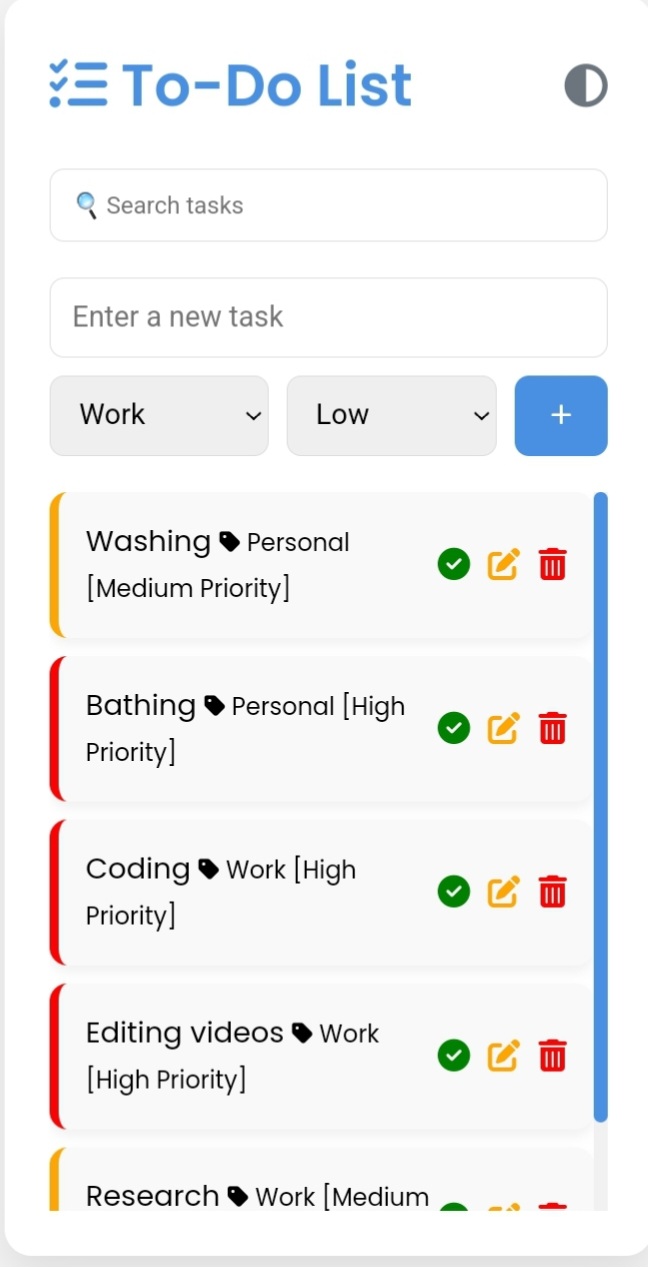
About This Project
The To-Do List app includes features like adding, editing, and deleting tasks, along with a dark mode toggle for a seamless user experience.
To-Do List Code
HTML Code
<!DOCTYPE html>
<html lang="en">
<head>
  <title>To-Do List</title>
</head>
<body>
  <div id="app">
    <h1>To-Do List</h1>
    <input type="text" id="new-task" placeholder="Add a task" />
    <button id="add-task">Add</button>
    <ul id="task-list"></ul>
  </div>
</body>
</html>
CSS Code
body {
  font-family: 'Poppins', Arial, sans-serif;
  background-color: var(--background-color);
  color: var(--text-color);
  margin: 0;
  padding: 20px;
}
#app {
  max-width: 600px;
  margin: auto;
  text-align: center;
}
#new-task {
  width: 70%;
  padding: 10px;
  margin-bottom: 10px;
}
#add-task {
  padding: 10px 15px;
  background-color: #6169C9;
  color: white;
  border: none;
  border-radius: 5px;
}
#task-list {
  list-style: none;
  padding: 0;
}
#task-list li {
  padding: 10px;
  border-bottom: 1px solid #ddd;
}
JavaScript Code
document.getElementById("add-task").addEventListener("click", function () {
  const taskInput = document.getElementById("new-task");
  const taskList = document.getElementById("task-list");
  if (taskInput.value.trim() !== "") {
    const li = document.createElement("li");
    li.textContent = taskInput.value;
    taskList.appendChild(li);
    taskInput.value = ""; // Clear input
  }
});